Search This Blog

Translate

Welcome

Hi,Thanks For visitin Again If This Is Your First Time Please Don't Forget To Subscribe or Follow us. Fell Free To Share Any Information.Hostgator


Showing posts with label Mobile Modification. Show all posts

3 March 2014

Nokia X gets rooted, runs Google apps with no fuss

The inevitable thing happened. Google apps got installed on the freshly announced Nokia X after a crafty member of XDA Developers rooted the Android handset .The Nokia X code named Normandy was like a device that would never be released just like the many other Nokia Phones


Nokia X Gets Rooted


The root was achieved via the Framaroot app. The bootloader of the device is unsurprisingly locked as most phones are, so instead of flashing a single zip file, users need to copy the apk files for Google apps via a root explorer application.
After the root, Nokia X also runs Google Now Launcher without breaking a sweat. You can see a short video of the device in action below.The above root method is surely the first of many. Considering the highly affordable price tag of the Nokia X, I Know for a fact that this device will we greatly supported by the developers community.This device also got rooted before its release just like the Google Nexus 5 soo it is obvious that it will get massive support from XDA.
The Link To The Video is below:Click Here

Project Ara Component Swapping Gets A Demo

Google's Project Ara has gotten a lot of attention recently with the announcement of the developer conference due on April 15-16. Happily, at the launch of the  tech conference one of the Project Ara team members spent a juicy 25 minutes to talk about the Google  modular phone concept. He even went on to demonstrate how the swapping components really work works.The Project Ara Modular Smartphones Started as an Internet sensation but is has now become a big real life event.


Googles Project Ara Component Swapping Gets A Demo

7 January 2014

How To Root An Android Phone Without A Computer


Rooting a device is basically getting  users of smartphones, tablets, and other devices running the Android mobile operating system to attain privileged control (known as "root access") within Android's subsystem. Rooting a phone with some methods seem easy but a wrong click can bring your phone to a total black out that is it can hard or soft brick . Today rooting a phone can be can be a real pain,today I am going to show you an easy way to root you Android phone easily without even using you Phone this is an easy and diffrent way way from rooting phones.
NB:Rooting your device voids warranty that is you can't claim warranty for your device

Procedure

  1. Download an app called Framaroot app onto your computer
  2.  Copy the Framaroot apk to you phones internal Sd card
  3. Choose the install superuser option  in Framaroot
  4.   Select any of the exploits that appears in the app and patiently wait for some time
  5. If you get the notification "success........"Superuser and su binary have been installed. You have to reboot your device” then you have successfully rooted your phone .
  6.  If you see “Failed … you should hopefully Try another exploit if available”  message then try selecting another exploit
  7. On a Galaxy S3 , Galaxy Note 2 ,Google Nexus 4,Galaxy Mega 6.3 I chose the third option

How TO Root The Samsung Galaxy Tab 2 10.1

Root the Samsung Galaxy Tab 2 10.1
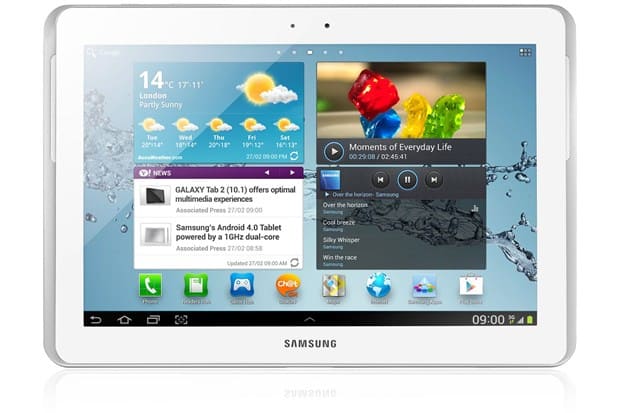
The Samsung Galaxy Tab 2 10.1 is a 10.1-inch Android-based tablet computer produced and marketed by Samsung Electronics. It belongs to the second generation of the Samsung Galaxy Tab series, which also includes a 7-inch model, the Galaxy Tab 2 7.0. It was announced on 25 February 2012, and launched in the US on 13 May 2012. It is the successor to the Samsung Galaxy Tab 10.1.Today i am going to show you how to gain root access to the Galaxy Tab 2 10.1 using the chainfire root method 

NB:Rooting voids the warranty of your device that is you can't claim warranty for your device.
 The following procedure is intended to work on P5100, P5110 and P5113 models      only.
Pre-requirement

  • A fully charged Galaxy Tab or at least 70 % charged
  • An original and functioning USB cable

6 January 2014

How To Root Motorola Moto G


Moto G is an Android smartphone developed and manufactured by Motorola Mobility. Unveiled on November 
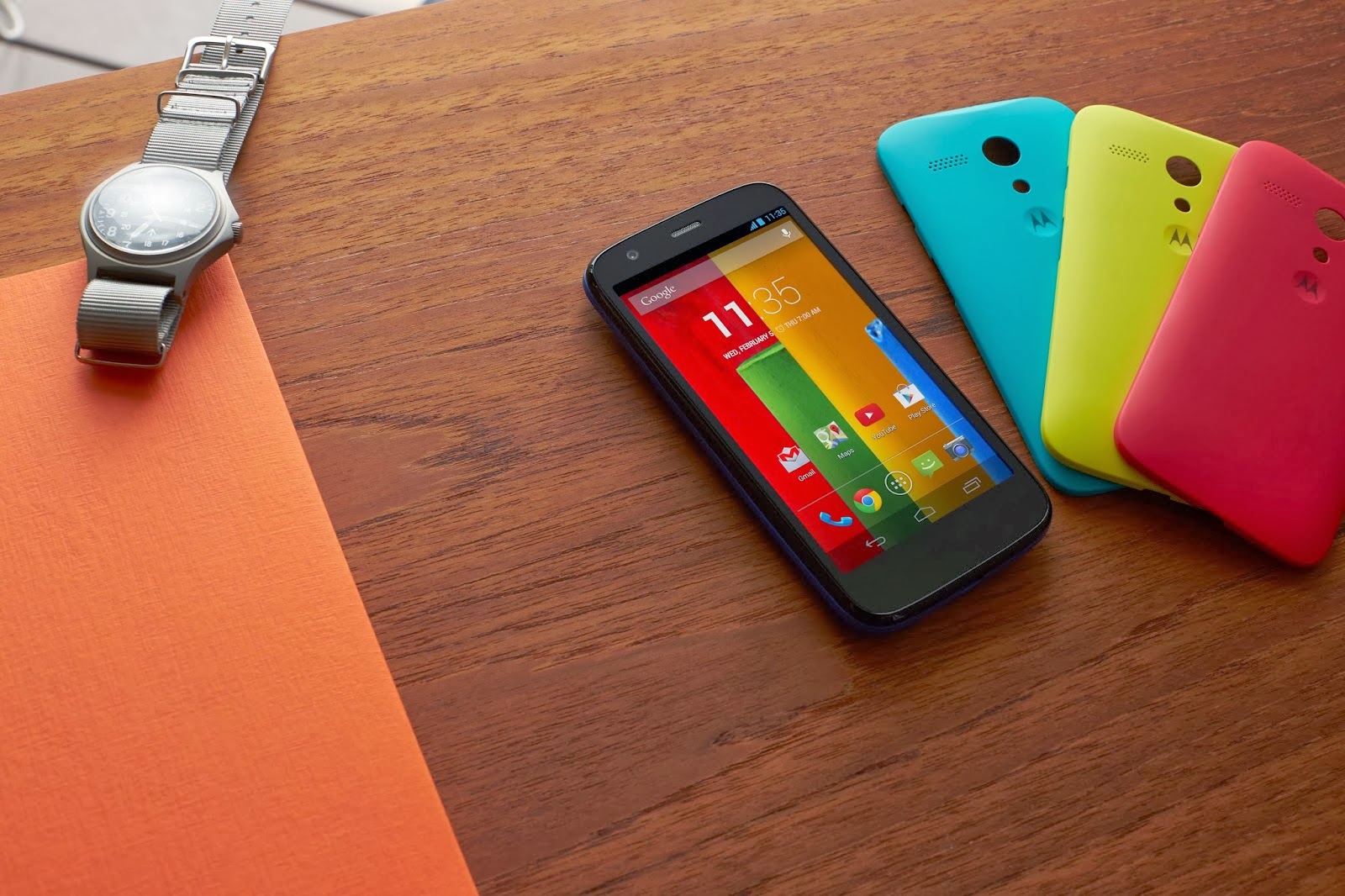
13, 2013, the phone has been initially aimed at developing markets, while those that live in developed markets will also have it available as a lower-cost option compared to other phones in its class.The Moto G is one of the best phones ever made this year considering its price and specs. Today I am going to show you how to root the Moto G,I found an easy and comprehensive way to root this phone.
 NB: Rooting your phone voids warranty that is you cant claim warranty for this mobile phone.
Pre-Requirements

  • Fully Charged mobile Phone
  • An Unlocked bootloader
  • After unlocking you shound have have that screen below

1 January 2014

Samsung Galaxy Note10.1 root

Samsung unveiled the Second edition of the Galaxy Note 10.1 2 in Berlin which brought us a total of brought us three new Galaxy devices, just as expected.Samsung has also refreshed the Galaxy Note 10.1 slate and brought us the brand new Galaxy Gear smart watch.
  The new Galaxy Note 10.1 2014 Edition comes in three different flavors sharing a quite similar design to the Galaxy Note 3 phablet. There is a WI-Fi-only version and a 3G-enabled model, both powered by Samsung's own Exynos 5 Octa chipset, as well as an LTE-capable tablet with Qualcomm's latest Snapdragon 800 chipset ticking inside.Today I am going to show you you how to root your Samsung galaxy 10.1.


Root and Install CWM on Samsung Galaxy S4 mini

The Samsung Galaxy S4 mini is the top or flagship phone of all mid range price phones.  If there was anything certain after the launch of the Samsung Galaxy S4, it was the imminent arrival of a mini version. The question wasn't whether, when and how  - the Galaxy S4 mini is drafting even closer behind the flagship than its predecessor did last season. All that mattered was how much specs will we slashed away from it or how much less will it cost.Today i am going to show you how to root the Samsung galaxy S4 mini.
 

Requirements
  1. Download the appropriate USB drivers for the phone or use KIES
  2. Enable USB Debugging in developers menu
  3. Backup all information and data on your phone

Root and install CWM on Samsung Galaxy Ace 3

The Galaxy Ace 3 arrives as Samsung's best entry into its popular and affordable Ace lineup, the galaxy ace line up is targeted at those who are cost conscious that is those those who don't really like spending much money on phones, The Ace 3 brings  a vanilla 3G version and either dual SIM support or LTE connectivity.
The Ace lineup was not just a mere mid-ranger, user have always enjoyed adequately-sized screens and powerful enough processors alongside timely software updates from Samsung to make it an excellent value offering long after the initial release.In the last post i showed you how to root the LG G2 today I am going to show you how to root and install CWM on the Samsung Galaxy Ace 3
 

Root LG G2


The LG G2 is the flagship Android smartphone developed by LG Electronics for 2913 . The LG G2 is the successor to the Optimus G and the Optimus G Pro, the G2 was unveiled in New York City on August 7, 2013, and first released in September 2013.
The G2 is primarily distinguished by software features that LG billed would "learn" from users, a high fidelity sound system designed to produce higher quality audio, a 5.2 in (130 mm) screen with a technology that the company claimed would improve energy efficiency, along with the awesome placement of its power and volume key,at the back of the phone.


Today i am going to show you how to root the LG G2
NB :please keep in mind that rooting voids warranty,this means that you will not be able to claim warranty for a rooted device.


27 December 2013

Android 4.4 KitKat official wallpapers available for download here

The Nexus 5 and Android 4.4 KitKat are here and bring new art work with them. You can now
download all the new official Android 4.4 wallpapers and put them on your device. The
images are right below and extracted from the new GoogleHome.apk by XDA Developers’
Omar1c. IThere’s nothing much to comment on the images.Along with the traditional colorful mosaics you get two landscape images, and that wraps up the new wallpapers coming on the Nexus 5.
All of these new wallpaper images are static. We have not yet seen whether there are new live
wallpapers coming with Android 4.4. You can view them all in the slideshow right
below or hit the source link to download.


26 December 2013

Universal Android AIO Flasher Tools

Universal Android AIO Flasher Tools
Updated [16/8/2012] to to v1.40 beta
NANDROID Backup added!
Screenshot taker added!
ROM Dump - Backup/restore added!
Build.prop maker added!


25 December 2013

How to Turn Any Android Phone Into a Stock Android Phone (Almost)

Google is now selling stock Android editions of the Samsung Galaxy S4 and HTC One in addition to the Nexus 4, featuring Google’s software without the usual manufacturer customizations. You can get a more stock Android-like experience on your existing phone, too.
Most Android manufacturers take advantage of Android’s openness to replace the standard launcher and even other applications like the keyboard and calendar app. We’ll show you how to get the more Google-driven experience on your phone.

Replace Your Launcher

The “launcher” is the part of Android that handles your home screens and app drawer. Many manufacturers replace Android’s default launcher with their own. Unfortunately, they alsostrip Android’s standard launcher out of the phone so you can’t use it if you prefer it. Google doesn’t yet offer the stock Android launcher on Google Play, although they’ve recently been trying to make Android more modular, so Android’s launcher may be available from Google Play in the future.
While you can’t yet install Google’s official launcher, you can install third-party launchers. Some third-party launchers are very different, while others are very similar to Google’s stock Android launcher with only a few more configuration options. If you’re looking for one just like Android’s default launcher, install Nova Launcher. The standard version is free — the paid version just gets you some additional configuration features that aren’t found in Google’s default launcher, anyway.

How to root a BlackBerry Playbook

If you've ever wondered if it was worth your time and effort to root/jailbreak your BlackBerry PlayBook, wonder no longer. The latest DingleBerry rooting tool, DingleBerry 3.x, makes rooting your PlayBook a simple matter of activating Developer Mode on your PlayBook and following the instructions in the DingleBerry program.
With the release of DingleBerry 3.x, Mac and Linux machines get some love too. It should be noted that these Linux and Mac users will need to have certain libraries already installed on their computers first. Since I'm a PC, you find a helpful tutorial and links to the necessary libraries at the DingleBerry.it website.
We've written about rooting your PlayBook using DingleBerry before. That process involved pushing some files to your PlayBook, backing up data from and then restoring data to your PlayBook, and finally you might have to pray to the gods of Technology that you unplugged your USB cable fast enough to complete the root.
DingleBerry 3.x is light-years ahead of that process. Downgrading, rooting, and confirming whether or not the root was successful are all accomplished within the rooting tool itself; BlackBerry Desktop Software is not required. The process is straightforward and easy to do; still, there are a couple of things that can ruin your day. Keep reading past the break to find our helpful guide on using this amazing tool to gain root access to your BlackBerry PlayBook.

How to install the Android Market and other applications to your BlackBerry PlayBook

How to install the Android Market and other applications to your BlackBerry PlayBook

The BlackBerry PlayBook is a tablet like no other. The powerful QNX Real Time Operating System embedded within allows it run an entirely different operating system as another application on top of the standard PlayBook OS. This is how the PlayBook will run repackaged Android applications. For the most part, though, repackaged apps will appear to run just like regular PlayBook applications.
That's all well and good if you're willing to wait for your favorite Android app to be repackaged and made available on BlackBerry App World. But if you're a bit impatient and a bit adventurous, it's a fairly straightforward process to getting the Android Market and other Android apps running on your BlackBerry PlayBook. To begin, you'll need a rooted PlayBook...

Unbricking guide for your Samsung Galaxy Note N7000

BRICKED USERS GUIDE For N7000

SOFT BRICKS
I will try to describe ways to get Soft Bricked so that you can compare.....
You have messed with the system file. Remember the Blue Screen of windows. 

==> 1. Deleting any system file .odex 
==> 2. Moving from GB or ICS to CM/AOSP/AOKP Roms without following instructions or vice versa
==> 3. Flashing incomplete ROMS (did not check MD5 - Google it How to check) 
==> 4. Flashing an incompetent kernel (oh I didnt read instructions)
==> 5. Many other methods 
==> 6. JB BootLoop

Now you have to return to normal state. But beware there is a emmc bug which is going to interfere our correction process. Oops ! It hurts. There is no safe way as on date for ICS except there are Safe Kernels Claimed.

How to use KIES Emergency Firmware Recovery (EFR)

How to use KIES Emergency Firmware Recovery (EFR)

So its come to my attention a lot of new guys are getting stuck soft brick, bootloop, borked recovery etc.
So .... I made this tutorial for everyone. 
Its great for you Odin is easy, but I made this for people who want a hassle free easy way to recover their phone.
This is also imo the fastest and easiest way back to true stock w/o a "modified" 
Some people have reported a flash count of 1 but idk I always went back to 0.


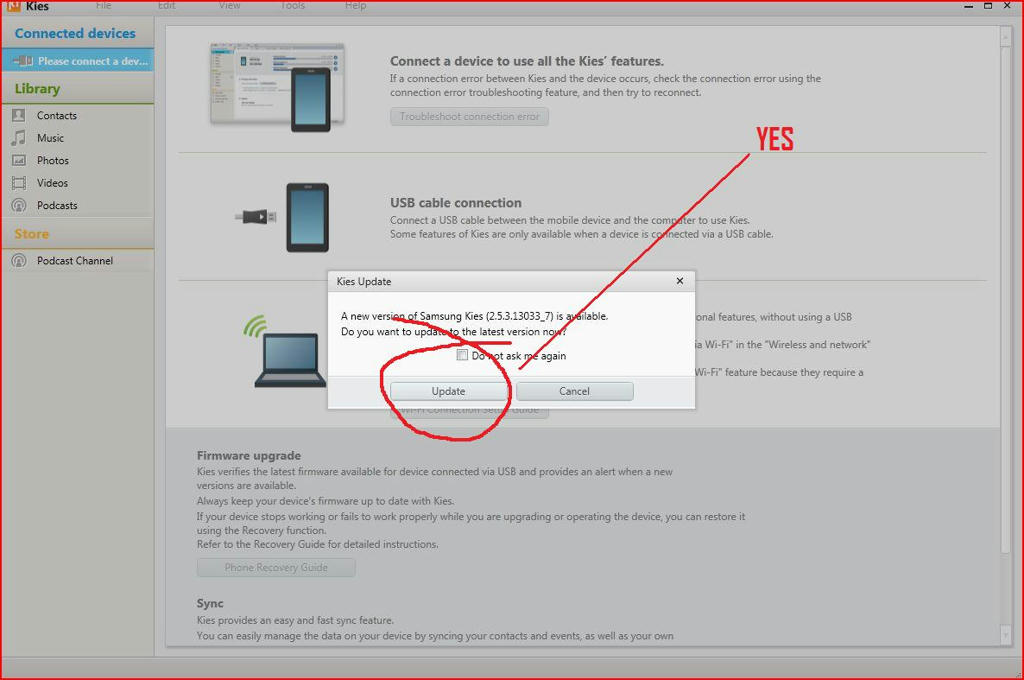
1.Kies opens asks about update


How to disable camera shutter sound on android

How to disable camera shutter sound


DO you get annoyed by the loud camera shutter sound ,and set your phone to silent mode or volume off and  did not fix the problem?

Here is simple way to disable it, but your phone needs to be ROOTED.

STEPS
1. Download Root Explorer
2. Run Root Explorer

How to Reset your Nokia Lumia


Sometimes things just happen. You know, the types of things that  makes a device useless. You can’t turn on the screen, or it won’t respond, none of the buttons seem to be working, etc. Luckily most manufacturers put in some type of reset button combo in order to fix these issue when they do inevitably arise. Here’s the reset procedure for the Nokia Lumia 1020.(It Will also work on other Nokia Lumia Phones 920, 820, 720, 620, 925, 928)

I. If Phone is On

1. Go to Settings > About > and Tap Reset Your Phone.

II. If Phone Won’t Turn On / Frozen on a Screen

1. Press and Hold the Volume Down and Power button at the same time until you feel it vibrate then let go. This will reboot the device.
2. If the above doesn’t work, hold down Volume Down, Power and the Camera button at the same time.
3. When it vibrates, release the Power button, but continue to hold the Volume Down and Camera button until it vibrates again, then you can let go. This will reboot AND erase the device.

How to hard and soft reset your Nokia Lumia


Sometimes things just happen. You know, the types of things that  makes a device useless. You can’t turn on the screen, or it won’t respond, none of the buttons seem to be working, etc. Luckily most manufacturers put in some type of reset button combo in order to fix these issue when they do inevitably arise. Here’s the reset 
procedure for Nokia Lumia 920, 820, 720, 620, 925, 928. 


Soft Reset

Hold the Volume Down and Power buttons down until the phone vibrates three times. The phone should successfully restart with the Nokia logo after a few seconds.

Root and Install ClockworkMod Recovery on the Samsung Captivate (i897) running Android 2.3.5

How to Root and Install ClockworkMod Recovery on the Samsung Captivate (i897) running Android 2.3.5


To use custom ROMs is to lease a new life for your device as things will be different and much more user friendly than stock firmware.  This would be a great way to renew an old device, like the Samsung Captivate, as you could be installing a custom ROM based on much newer firmware than the one that the manufacturer last updated you with.  For this though, your device (or the Samsung Captivate in this case) will need to have root privileges and have a custom recovery installed beforehand and this is exactly what you will be able to do by reading this post – root and install ClockworkMod Recovery (a very popular custom recovery) on the Samsung Captivate.

Follow us on